Independent guide · updated October 11, 2026
Free, open-source Adobe alternatives that run on your computer
ArtCraft is a family of crafting apps: PhotoCraft for images, VectorCraft for vectors, FilmCraft for video and more, plus an AI studio that gives artists real control. This guide helps you pick, download and install them.
PhotoCraft 0.7.0 · 45.5k GitHub stars · MIT / Apache-2.0
- Free foreverNo subscription, no trial
- Open sourceMIT or Apache-2.0
- Runs locallyNative Rust, works offline
- No accountOpen the app and start
- Every desktopWindows, macOS, Linux
Try it now
Edit a photo in your browser first
Crop, adjust, filter, draw and export. Nothing is uploaded. When you need layers and PSD files, download PhotoCraft.
Drop an image here
You can also paste an image (Ctrl/⌘ V).
Try a sample
Your image stays on your device. Nothing is uploaded.
The crafting apps
One open-source app for each Adobe tool you pay for
Seven desktop apps, each written from scratch in Rust and each able to stand on its own. All of them are new, so expect rough edges.
PhotoCraft
Alternative to Photoshop
Image editing with layers, masks, type and real PSD files
VectorCraft
Alternative to Illustrator
Vector illustration
FilmCraft
Alternative to Premiere Pro
Video editing, colour and sound
LightCraft
Alternative to Lightroom
Photo library and raw development
PdfCraft
Alternative to Acrobat
Reading, organizing and protecting PDFs
EffectCraft
Alternative to After Effects
Motion graphics and visual effects
DesignCraft
Alternative to InDesign
Page layout and publishing
ArtCraft
AI image & video studio
Compose in 2D, stage in 3D and pick the model that fits.
Real screenshots
What PhotoCraft looks like in use
Every image here is PhotoCraft 0.7.0, installed and tested by us on a Mac.
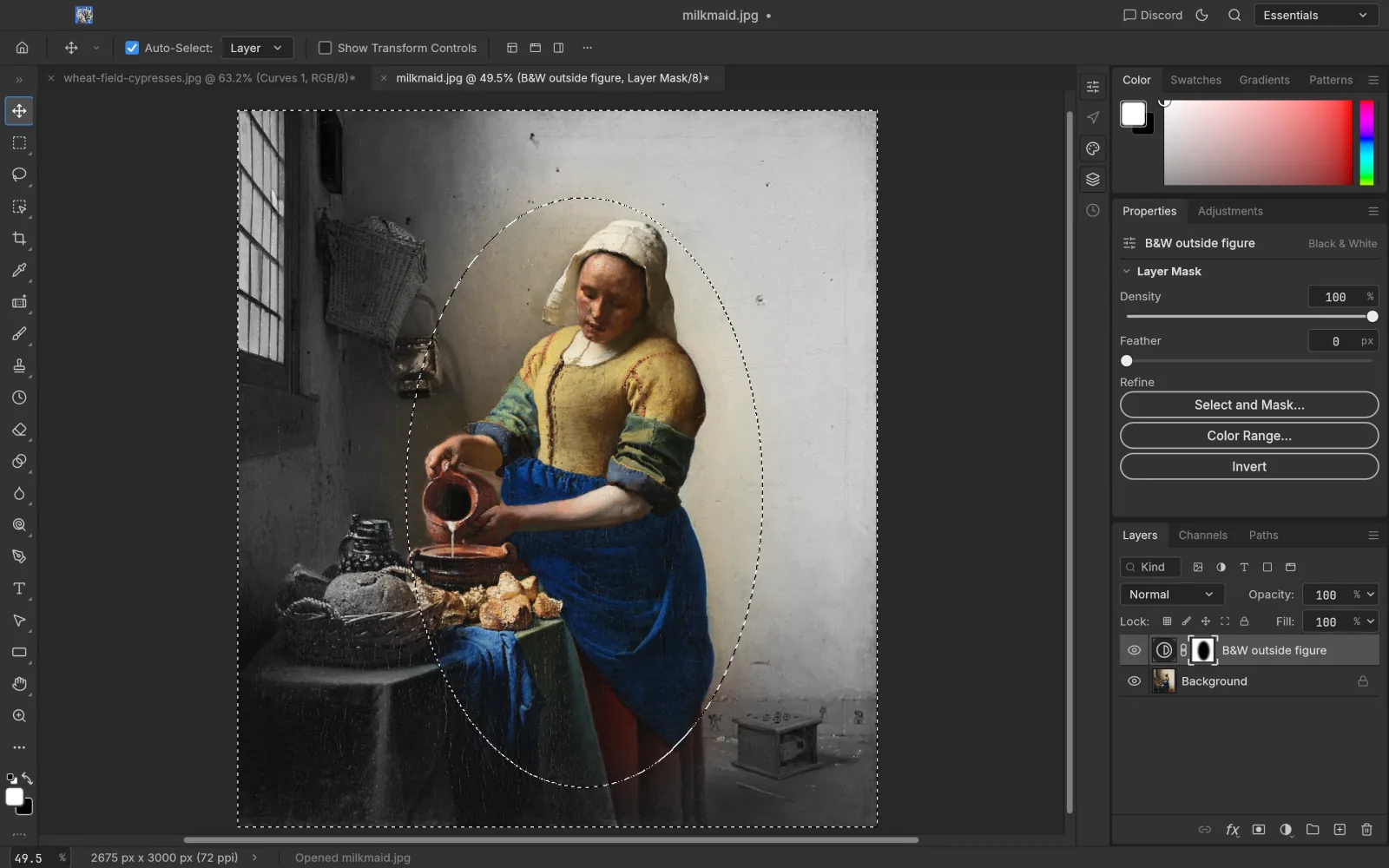
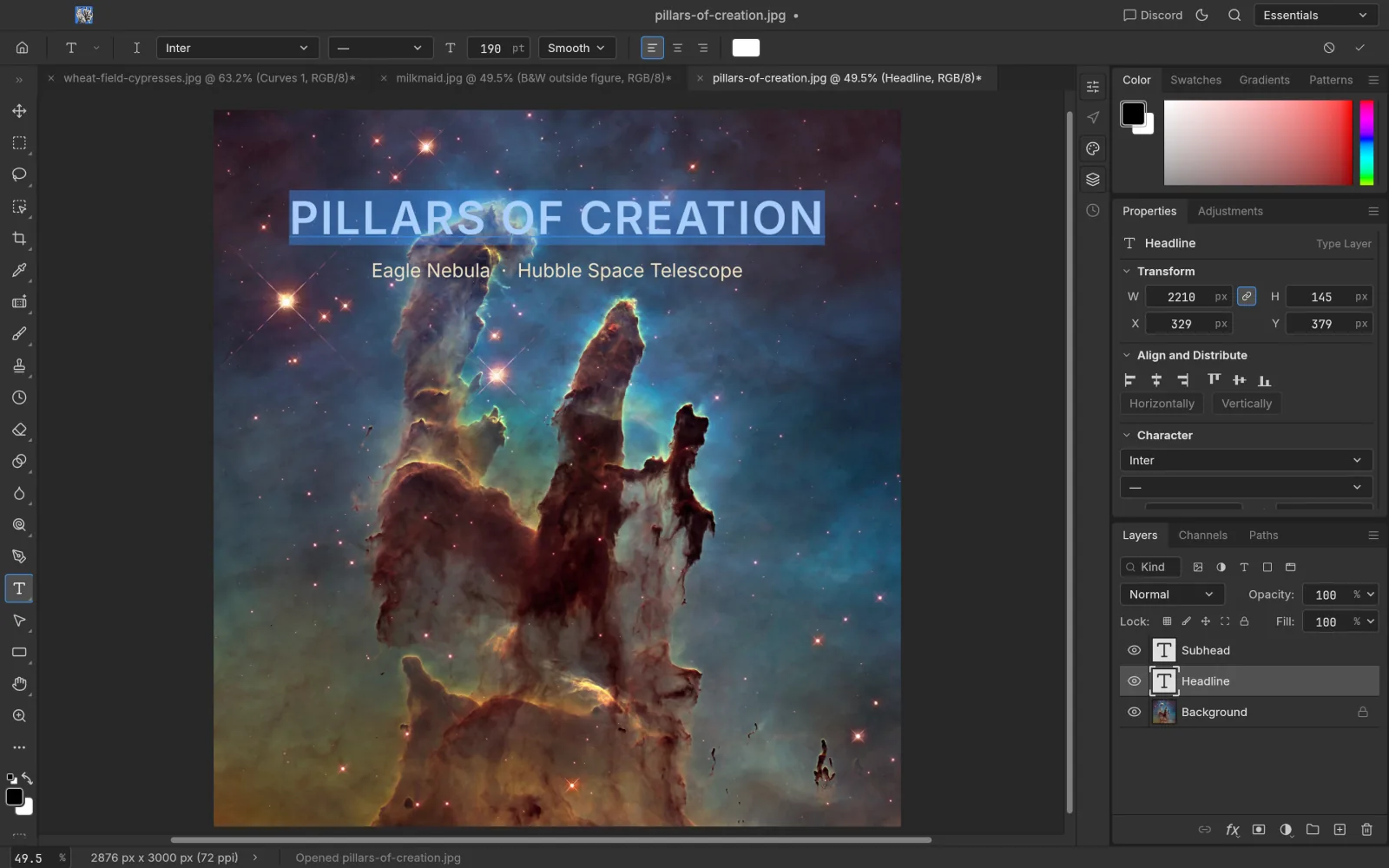
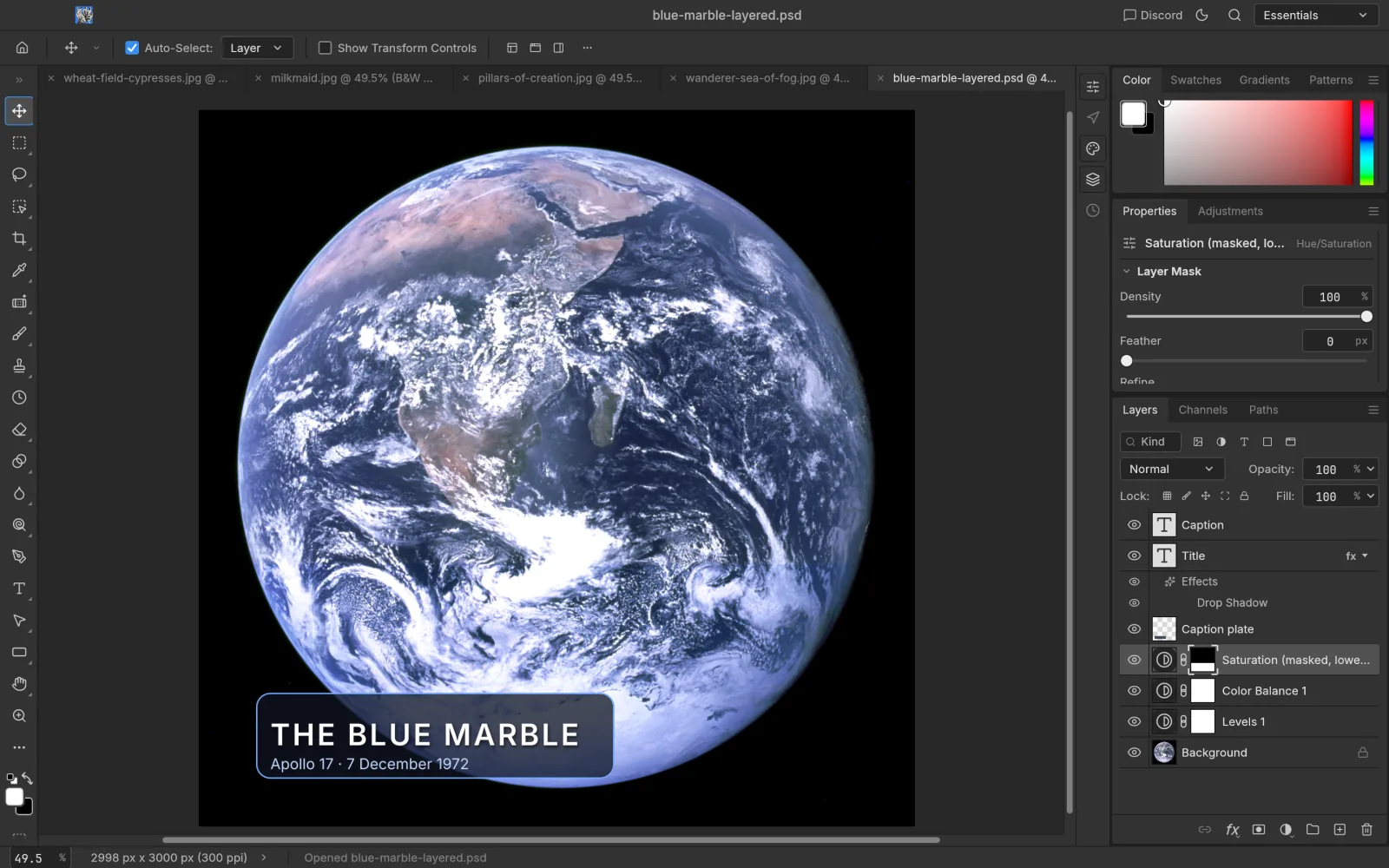
Artworks shown: Vincent van Gogh, Wheat Field with Cypresses (1889, The Met, CC0); Johannes Vermeer, The Milkmaid (c. 1660, Rijksmuseum); Caspar David Friedrich, Wanderer above the Sea of Fog (c. 1817); The Blue Marble (NASA, 1972); Pillars of Creation (NASA, ESA, and the Hubble Heritage Team (STScI/AURA), 2014). All public domain. Screenshots: PhotoCraft 0.7.0, captured by ArtCraft AI Guide.
ArtCraft AI studio
AI images and video, with an artist’s control
ArtCraft itself is an “IDE for artists”: instead of hoping a prompt lands, you build the shot first and then generate it.
01
Compose in 2D
Layer images, remove backgrounds and sketch where things go.
02
Stage in 3D
Turn an image into a mesh, pose characters and place the camera.
03
Pick your model
Generate with Nano Banana, GPT Image, FLUX, Seedream, Kling, Veo and more.
ArtCraft runs on Windows and macOS, needs a free ArtCraft account, and generates with cloud AI models that cost credits.
PhotoCraft vs Photoshop
Where it already competes, and where it doesn’t yet
| PhotoCraft | Photoshop | |
|---|---|---|
| Price | Free | Subscription |
| No account, works offline | Yes | Sign-in needed |
| Layers, masks, adjustment layers | Yes | Yes |
| Open and save PSD | Yes, exchange still imperfect | Native |
| Generative AI (Generative Fill) | Not yet | Yes |
| Linux | Native | No |
What a year of Adobe costs
US list prices on an annual plan billed monthly, checked Oct 2026. Prices vary by region and promotion. Source
Up and running in three steps
Latest releases
All newsOctober 11, 2026 · PhotoCraft 0.7.0
PhotoCraft 0.7.0 fixes layers, brushes and masks
A bug-fix-heavy release with softer brushes, better mask thumbnails, a tidier Layers panel and TGA alpha export.
October 7, 2026 · Craft apps
The ArtCraft team releases seven open-source Craft apps
PhotoCraft, VectorCraft, FilmCraft, LightCraft, PdfCraft, EffectCraft and DesignCraft arrive as free, Rust-built alternatives to Adobe's best-known apps.