Install guide · Linux
How to install PhotoCraft on Linux
PhotoCraft 0.7.0 ships for Linux as an AppImage, .deb, .rpm, Flatpak and tarball, for x86_64 and ARM64. The AppImage is the quickest way in.
Time: About 2 minutes64-bit Linux (x86_64 or ARM64)About 69 MB to downloadBased on PhotoCraft 0.7.0 · October 11, 2026
- 1
Download the AppImage
Downloadphotocraft-0.7.0-linux-x86_64.AppImage(pick aarch64 on ARM64) and check it against SHA256SUMS.txt.sha256sum -c SHA256SUMS.txt --ignore-missing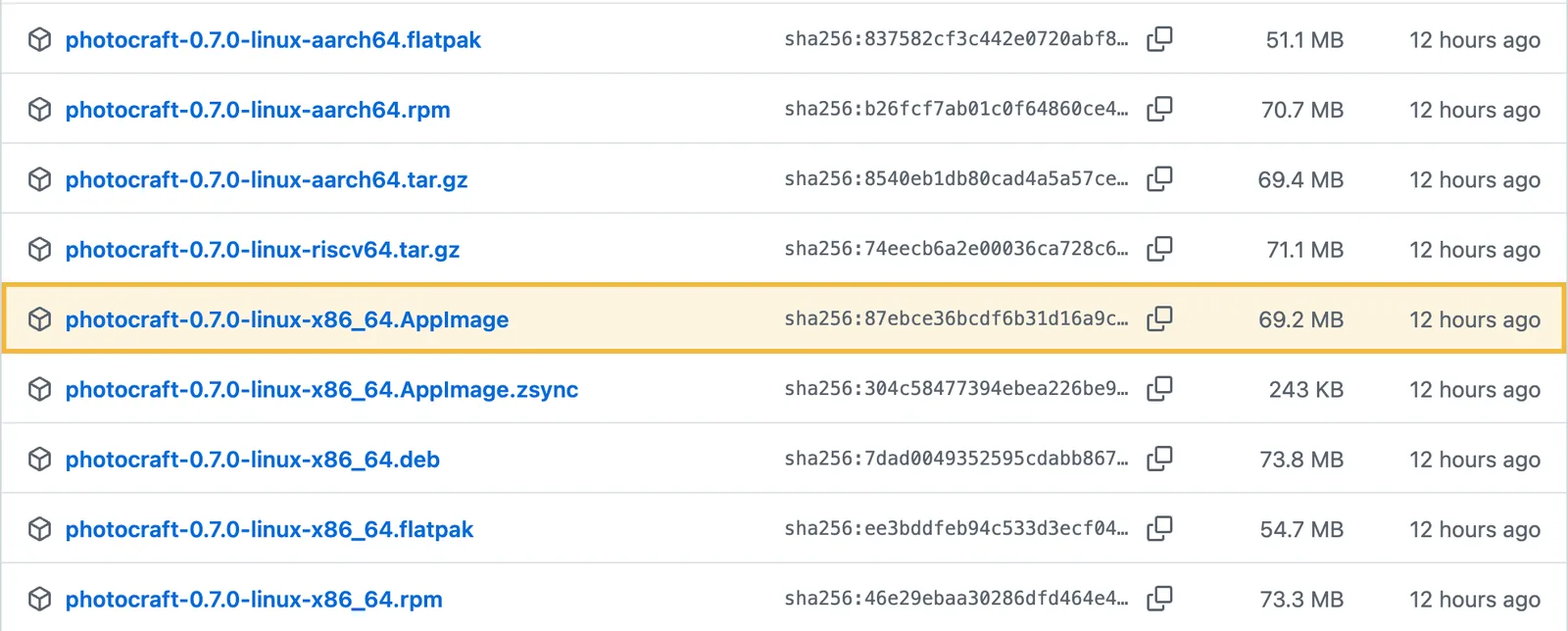
- 2
Make it executable and run it
An AppImage needs no install. The first run registers a launcher icon and menu entry in ~/.local/share; set PHOTOCRAFT_NO_DESKTOP_INTEGRATION=1 to skip that.chmod +x photocraft-0.7.0-linux-x86_64.AppImage ./photocraft-0.7.0-linux-x86_64.AppImage - 3
Start editing
Open an image with File › Open or Ctrl+O.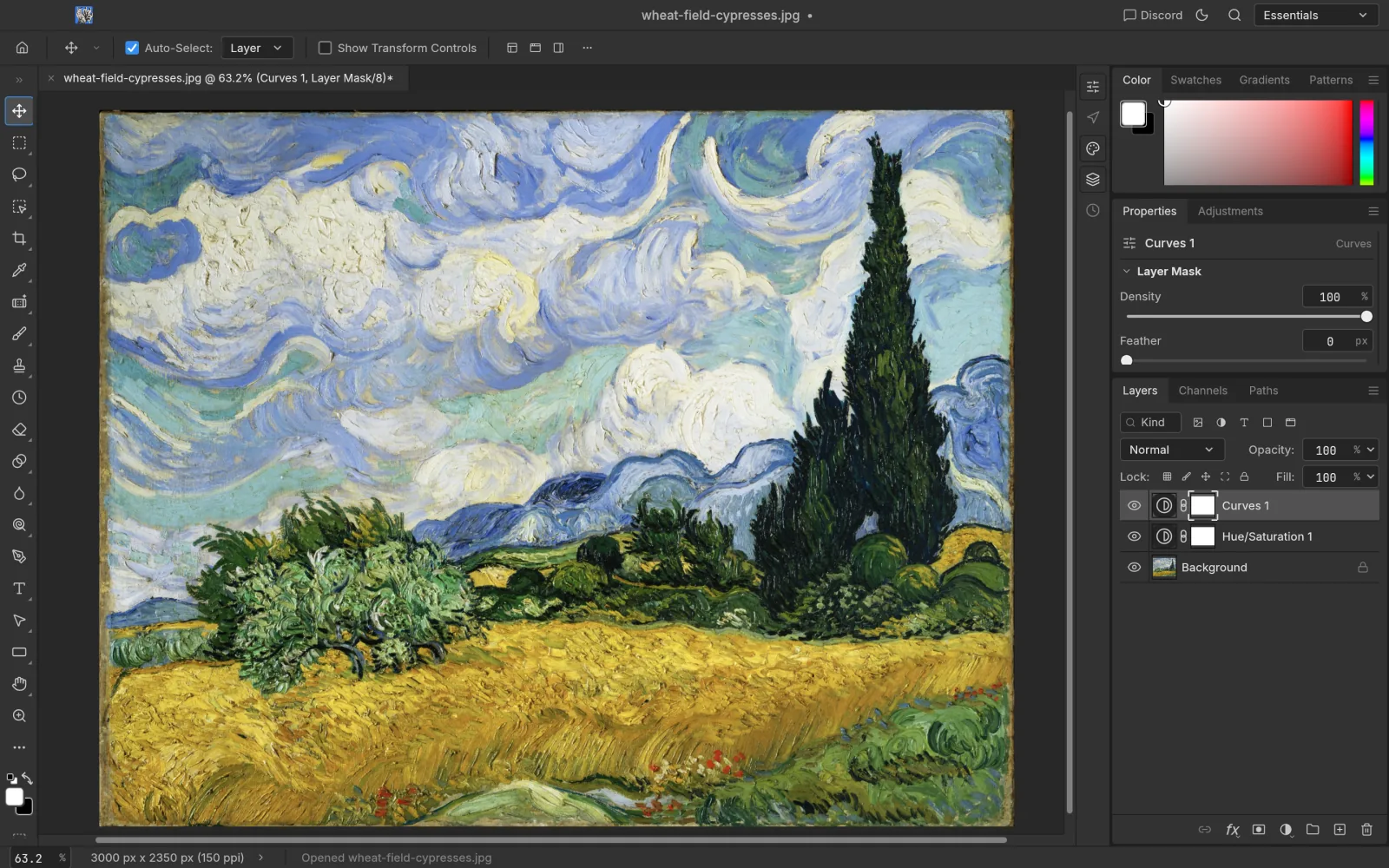
Debian / Ubuntu (.deb)
sudo apt install ./photocraft-0.7.0-linux-x86_64.debFedora / openSUSE (.rpm)
sudo dnf install ./photocraft-0.7.0-linux-x86_64.rpm
# openSUSE: sudo zypper install ./photocraft-0.7.0-linux-x86_64.rpm
Flatpak
The bundle needs the freedesktop runtime from Flathub, which flatpak offers to install with it.
flatpak install --user photocraft-0.7.0-linux-x86_64.flatpak
flatpak run ai.storyteller.photocraft
RISC-V
RISC-V gets
photocraft-0.7.0-linux-riscv64.tar.gz only, built on Ubuntu 24.04 and needing glibc 2.39 or newer.Troubleshooting
Dropping files on the window does nothing on Wayland
winit 0.30, the windowing library underneath, has no Wayland drag and drop yet. Use File › Open, or copy the image in your file manager and paste with Ctrl+V. Or start under XWayland: WAYLAND_DISPLAY= ./photocraft-…AppImage.
Pen pressure misbehaves on Wayland
This is a known issue (GitHub #2622). Use an X11 session when you need pressure.
Uninstall
AppImage: delete the file. deb: sudo apt remove photocraft. rpm: sudo dnf remove photocraft. Flatpak: flatpak uninstall ai.storyteller.photocraft.
Other systems