Install guide · macOS
How to install PhotoCraft on a Mac
Install PhotoCraft 0.7.0 on a Mac. One universal DMG covers Apple silicon and Intel. It takes about two minutes.
Time: About 2 minutesmacOS on Apple silicon or IntelAbout 80 MB to downloadBased on PhotoCraft 0.7.0 · October 11, 2026
- 1
Download the DMG
Downloadphotocraft-0.7.0-macos-universal.dmg. It is signed and notarized by Apple.shasum -a 256 ~/Downloads/photocraft-0.7.0-macos-universal.dmg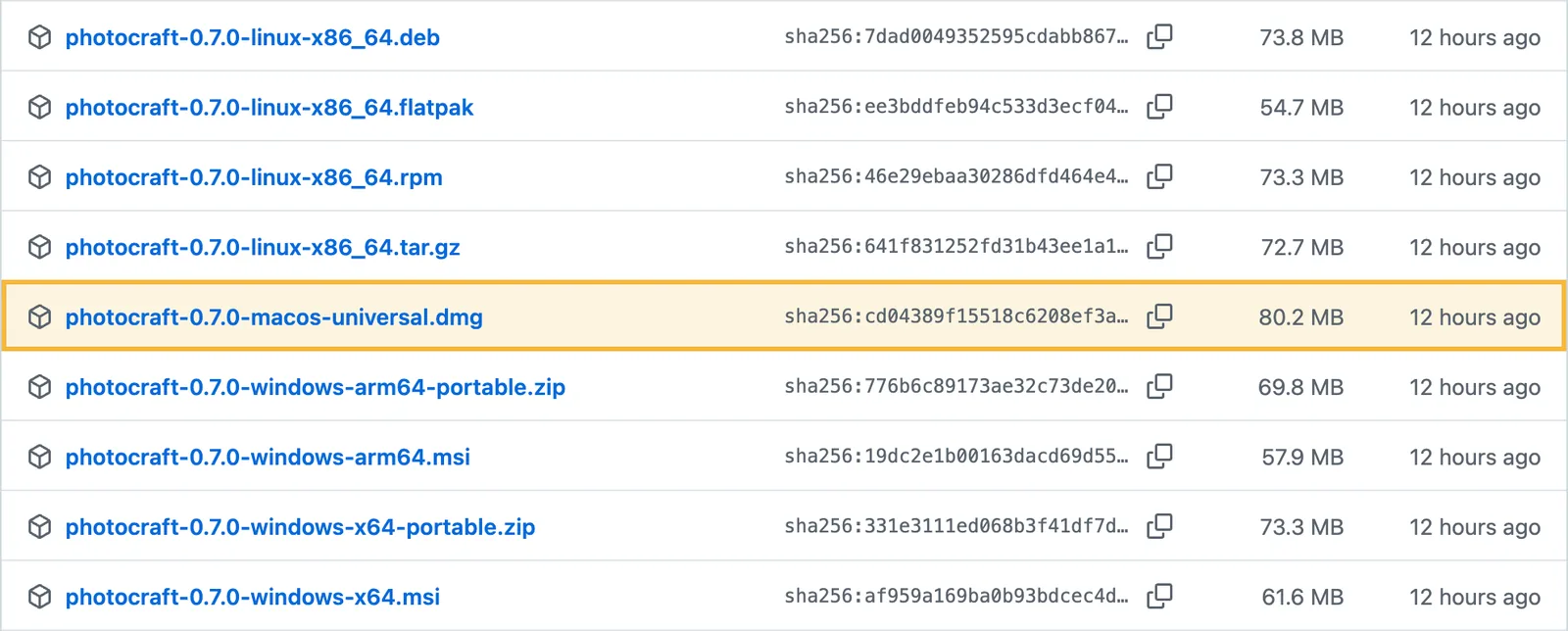
- 2
Drag it to Applications
Open the DMG, drag PhotoCraft onto the Applications folder, then eject the disk image.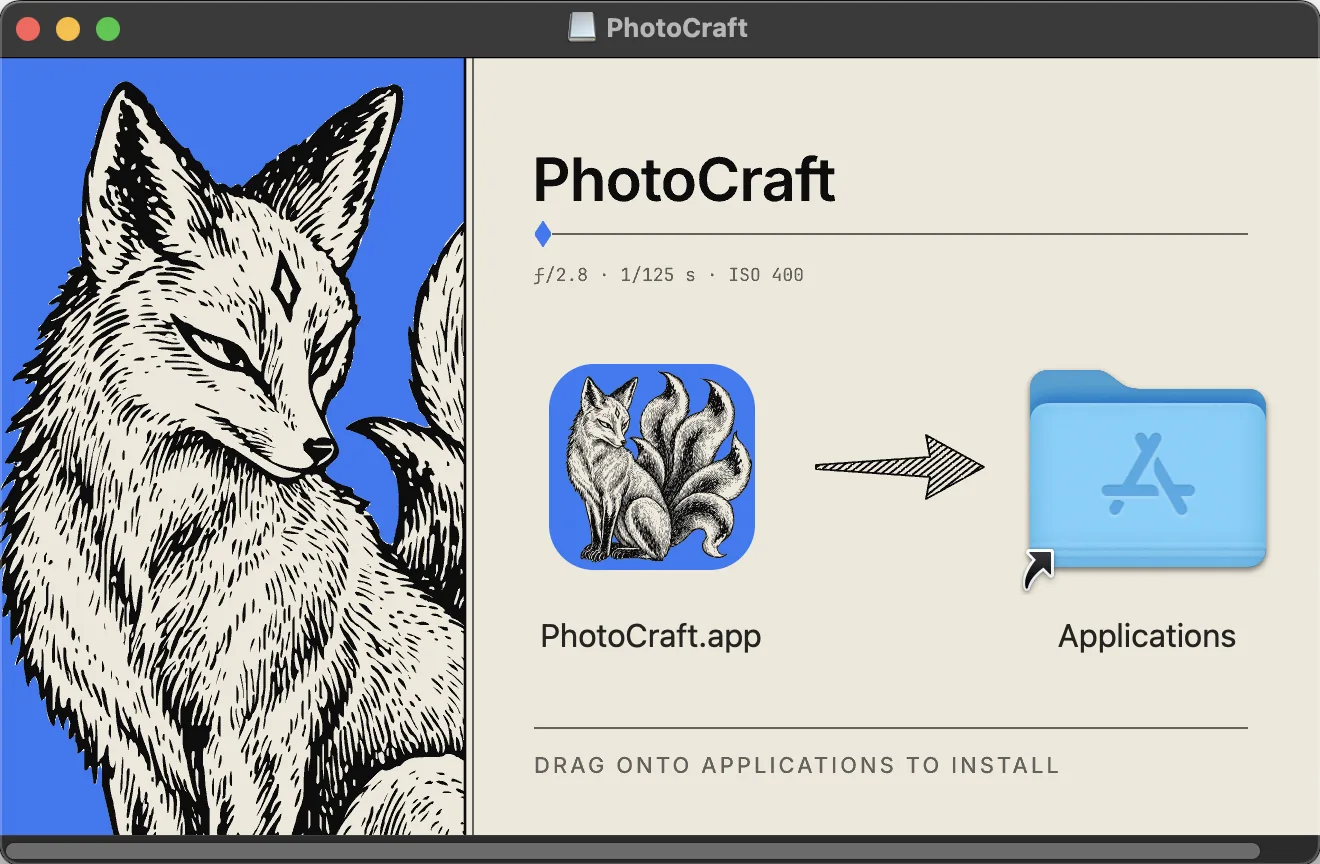
- 3
Open it for the first time
Start PhotoCraft from Applications or Launchpad. macOS asks you to confirm an app downloaded from the internet and notes that Apple checked it for malicious software (that is what notarization means). Choose Open.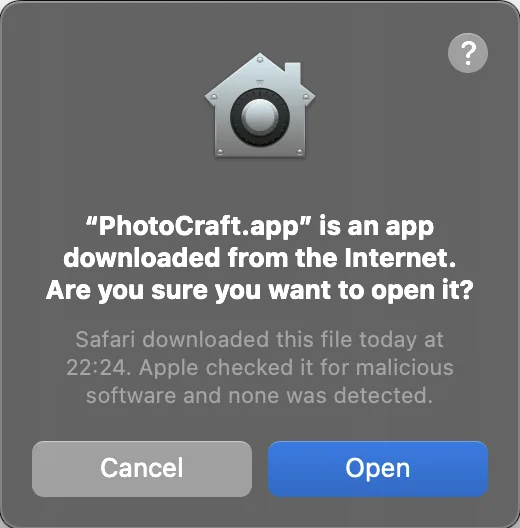
- 4
Open an image
Use File › Open (⌘O) to pick a JPG, PNG or PSD. If you know Photoshop, most shortcuts match, such as ⌘J to duplicate a layer.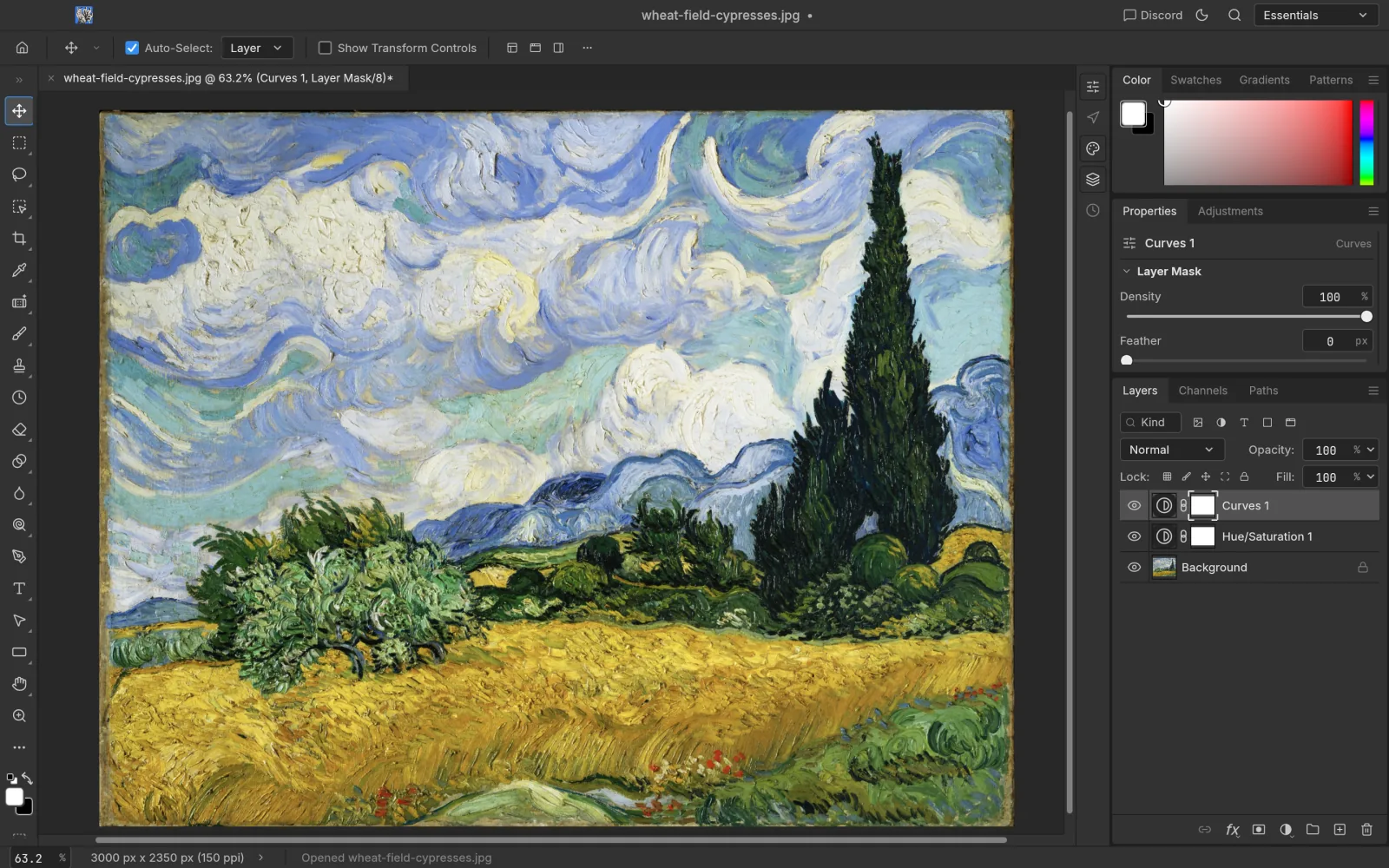
Optional: the command-line tool and MCP
Download
photocraft-cli-0.7.0-macos-universal.zip, unzip it and move photocraft-cli into a folder on your PATH. It is signed and notarized too.ditto -x -k photocraft-cli-0.7.0-macos-universal.zip .
sudo mv photocraft-cli-0.7.0-macos-universal/photocraft-cli /usr/local/bin/Start the MCP server and any MCP client, such as Claude, can run PhotoCraft’s 500+ commands.
photocraft-cli mcpTroubleshooting
“Developer cannot be verified”
The official DMG is notarized, so this should not appear. If it does, make sure the file came from the official GitHub release and check its SHA256. Then use System Settings › Privacy & Security › Open Anyway.
The interface feels slow
Lag on large images and many layers is a known early-alpha issue. Search GitHub Issues, or file one with your image size and layer count.
Uninstall
Drag PhotoCraft from Applications to the Trash.
Other systems