PhotoCraft · by the ArtCraft team
PhotoCraft: a free, open-source Photoshop alternative
PhotoCraft rebuilds the way Photoshop works in pure Rust: layers, masks, adjustment layers, layer styles, type and real PSD files. Native, offline, and no account needed.
- Early alpha
- v0.7.0
- GitHub ★ 45.5k
- MIT / Apache-2.0
- Windows · macOS · Linux · FreeBSD · Web
If you know Photoshop, you already know PhotoCraft
Familiar by design
Menus, shortcuts, panels and tools sit where your hands expect them, from ⌘J to ⇧⌘D. Choose a dark Pro theme, airy Studio themes or a Classic look.
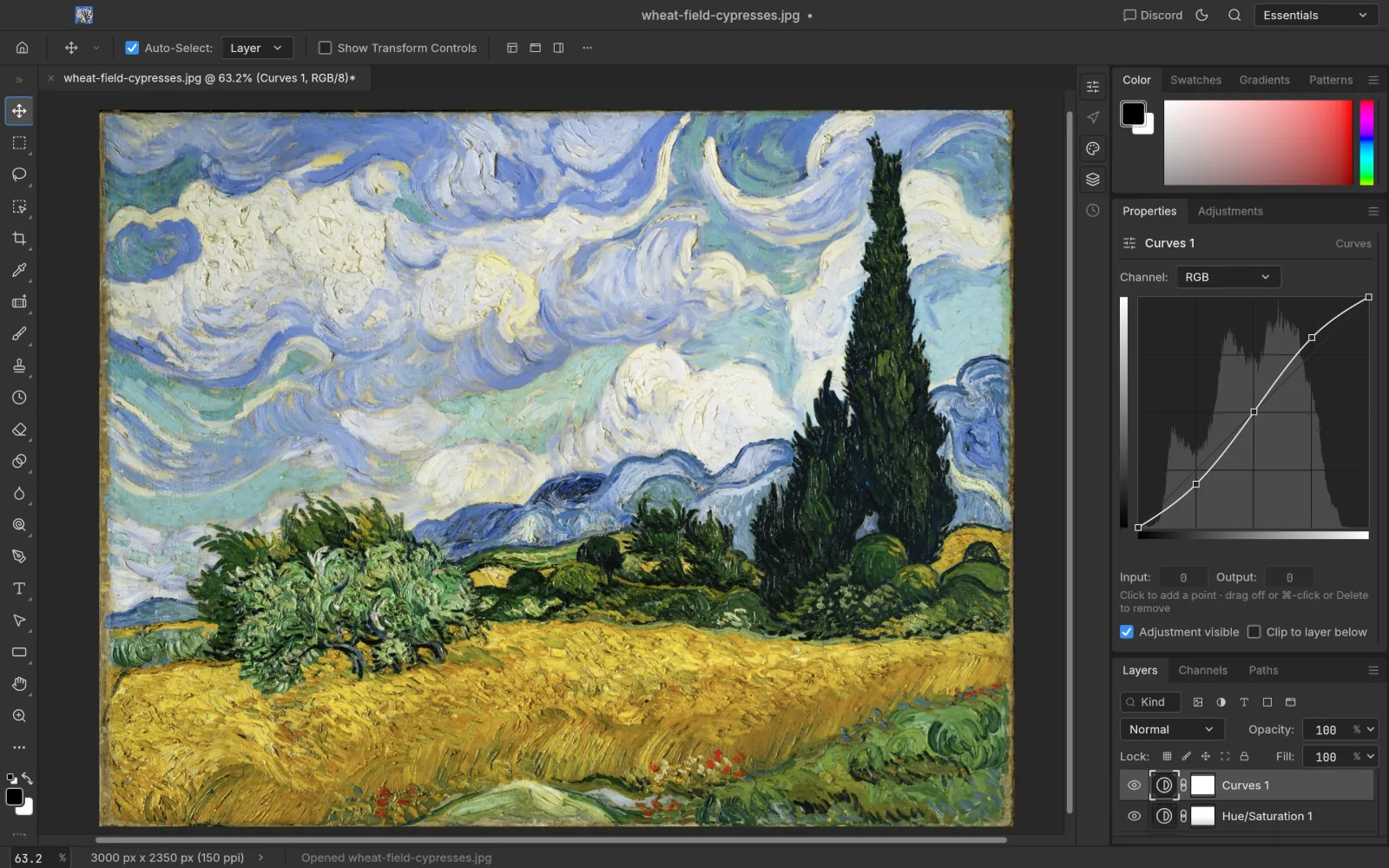
Adjustment layers you can change later
16 adjustment layers, including per-channel Curves, Levels with a live histogram, Black & White, Channel Mixer, Selective Color and LUTs. Your original pixels never change.
Selections and masks
Marquees, lassos and the Magic Wand, plus Quick Selection, Object Selection and Select Subject running on your machine. Turn any selection into a layer mask.
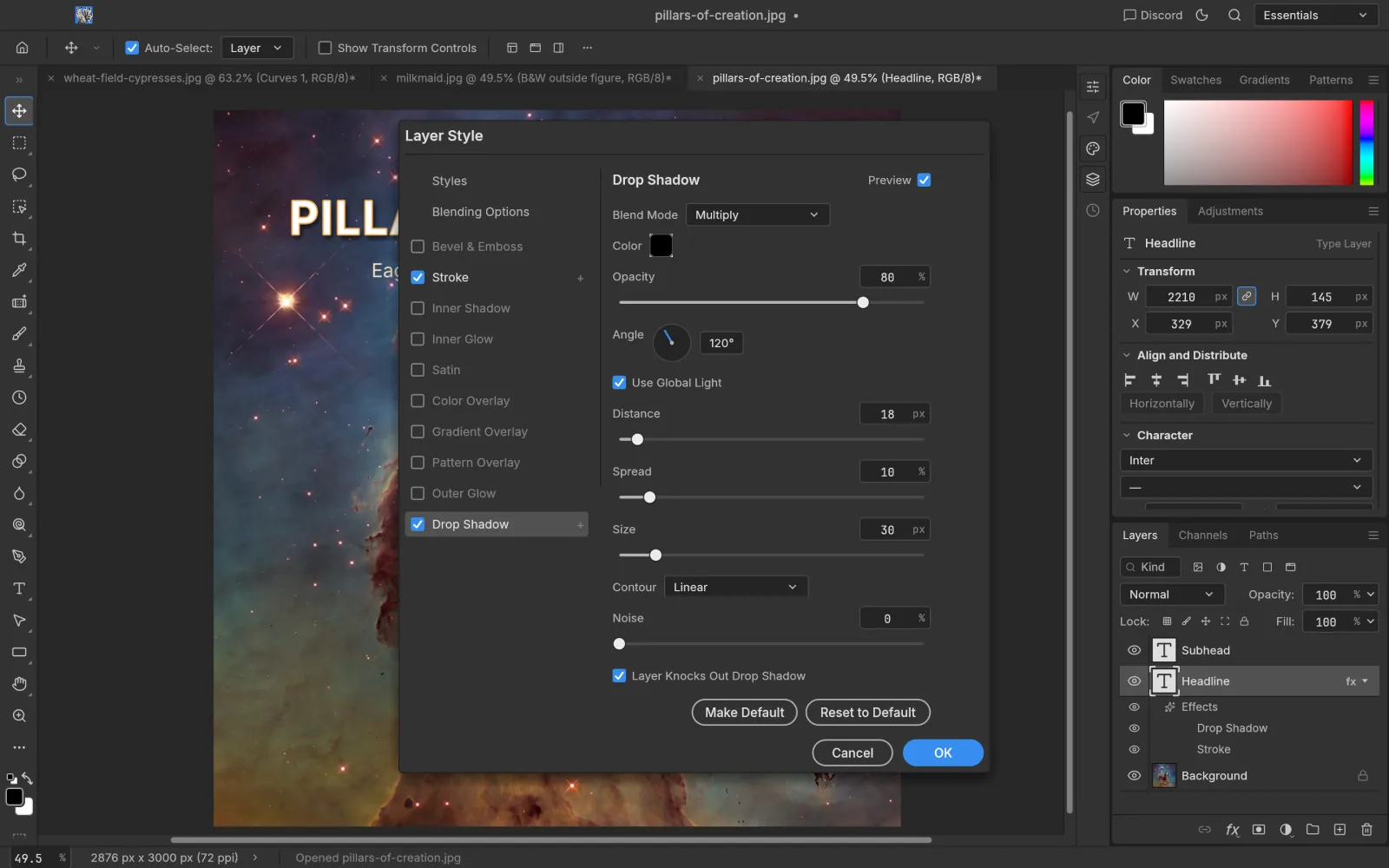
Layer styles and type
Drop Shadow, Inner Shadow, Glow, Bevel & Emboss, Stroke and overlays stay live, on any layer. Type layers stay editable and round-trip through PSD.
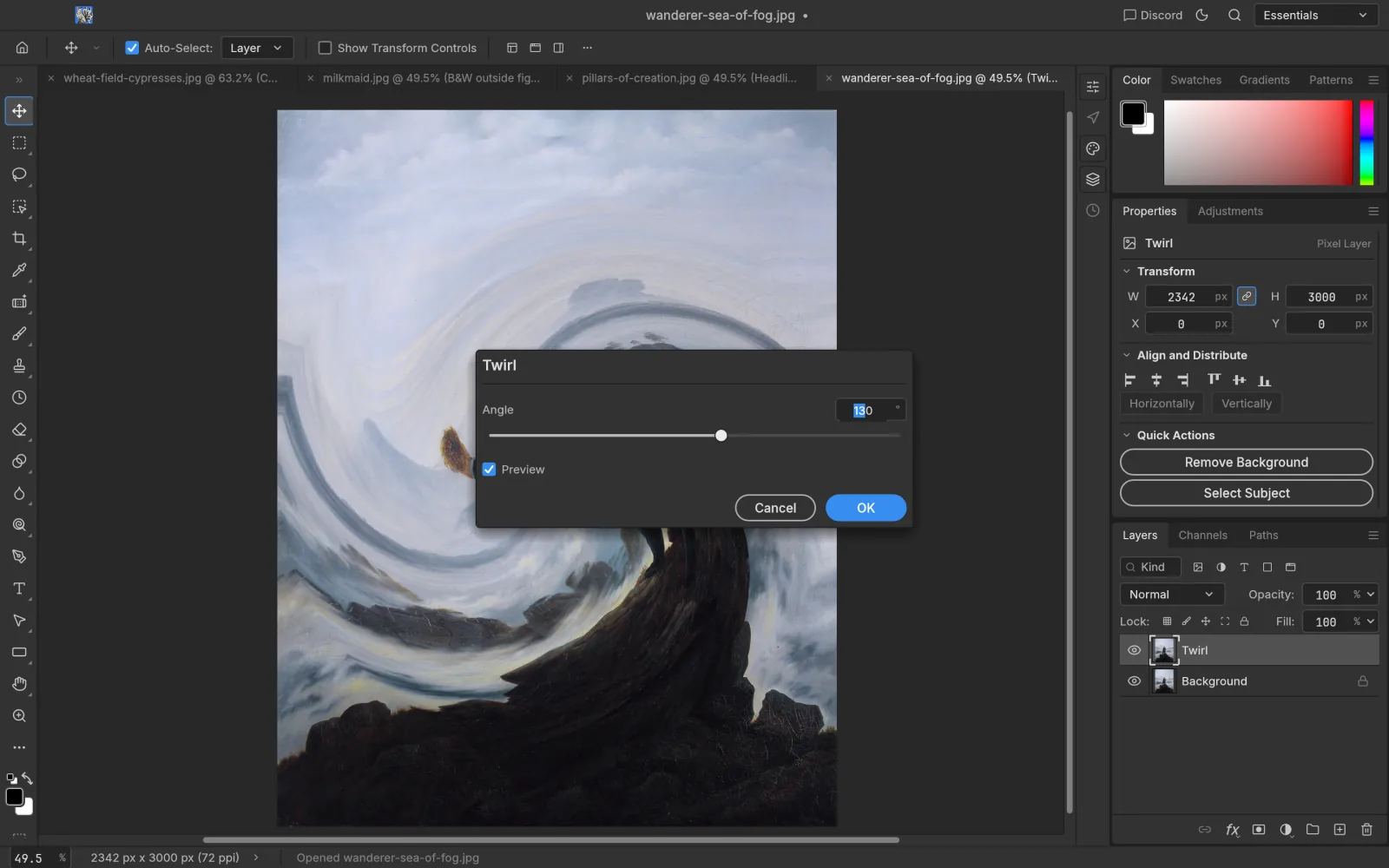
Filters with live preview
Blur Gallery, sharpening, Reduce Noise, distortions, Stylize and Render filters all preview on the canvas, and stay editable on a smart object.
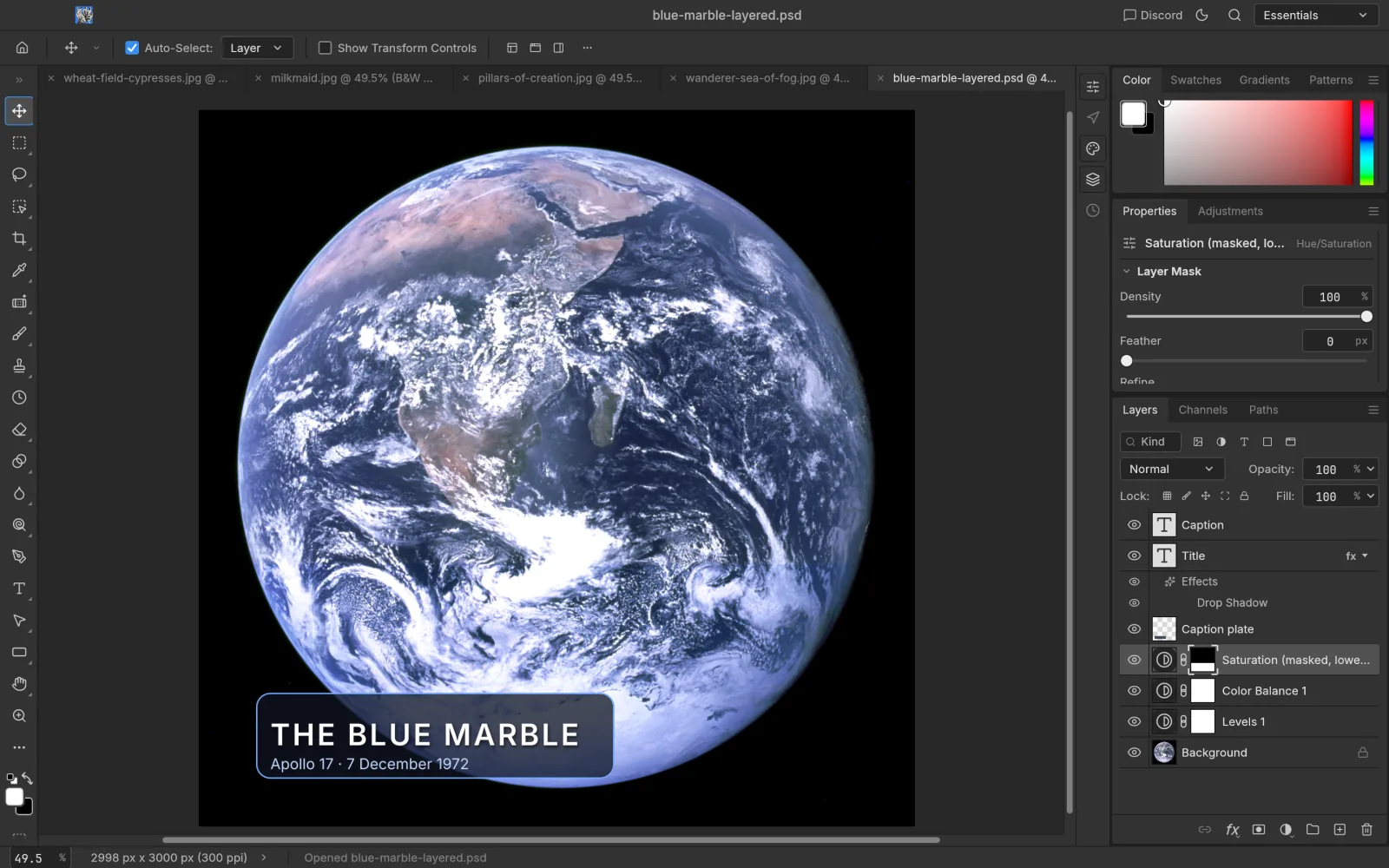
Real PSD files
Open, edit and save layered PSD and PSB documents. In the project’s tests, re-saving keeps the render of 307 of the 309 psd-tools test files.
Built for AI agents
Every menu item, tool and dialog in PhotoCraft runs a command from one registry of 500+ commands. The UI, the CLI, a JSON control channel and an MCP server all call the same commands, so anything you can click, a script or an AI agent can do too.
CLI example: open, sharpen, add Curves, export
photocraft-cli run photo.psd \
  --cmd filter.sharpen.smartSharpen --params '{"amount":80}' \
  --cmd layer.newAdjustmentLayer.curves \
  --out photo-final.png

photocraft-cli mcp   # let an AI agent drive it
Does PhotoCraft have AI?
PhotoCraft has no generative AI like Generative Fill yet. Its smart selections, Remove tool and Content-Aware run on your machine and never upload your image. For AI images and video, pair it with the same team’s ArtCraft AI studio, or let your own AI agent drive PhotoCraft over MCP.
ArtCraft AIHow ready is it?
The project’s own assessment against Photoshop 2026 (2026-10-10, measured on v0.6.0).
Biggest gaps: generative AI, 15 missing tools, depth in type and pro workflows, plug-in compatibility, and speed and stability on big files.
Read the full assessmentA good fit today
- Everyday photo edits, graphics and learning
- Linux and FreeBSD users
- Creators who want out of a subscription
- Developers batch-editing images with AI agents
Better to wait
- Pro workflows built on Photoshop plug-ins or action files
- Teams swapping PSDs with Photoshop users all day
- Anyone who relies on Generative Fill and other AI tools
Get started
PhotoCraft questions
How are PhotoCraft and ArtCraft related?
Is PhotoCraft open source? Where is the code?
Can I change the interface language?
Where is the web version?
Based on PhotoCraft 0.7.0 · October 11, 2026
Artworks shown: Vincent van Gogh, Wheat Field with Cypresses (1889, The Met, CC0); Johannes Vermeer, The Milkmaid (c. 1660, Rijksmuseum); Caspar David Friedrich, Wanderer above the Sea of Fog (c. 1817); The Blue Marble (NASA, 1972); Pillars of Creation (NASA, ESA, and the Hubble Heritage Team (STScI/AURA), 2014). All public domain. Screenshots: PhotoCraft 0.7.0, captured by ArtCraft AI Guide.