PhotoCraft · Advanced
Drive PhotoCraft from the command line and AI agents (CLI + MCP)
Use photocraft-cli to edit images headlessly, batch a folder, and connect PhotoCraft to Claude or any MCP client so an AI agent can run its 500+ commands.
Every menu item, tool and dialog in PhotoCraft runs a command from one registry of 500+ commands. The same commands are available from a command-line tool and an MCP server, so scripts and AI agents can do anything you can click. We tested everything below with photocraft-cli 0.7.0 on macOS.
Install photocraft-cli
On macOS, download photocraft-cli-0.7.0-macos-universal.zip from the GitHub release. It is signed and notarized. Unzip it and put the binary on your PATH:
ditto -x -k photocraft-cli-0.7.0-macos-universal.zip .
sudo mv photocraft-cli-0.7.0-macos-universal/photocraft-cli /usr/local/bin/
photocraft-cli --version
# photocraft-cli 0.7.0 (792616159, 2026-10-11)
photocraft-cli --help lists the subcommands: convert, info, run, batch, droplet, commands, mcp and serve.
Edit an image without opening the app
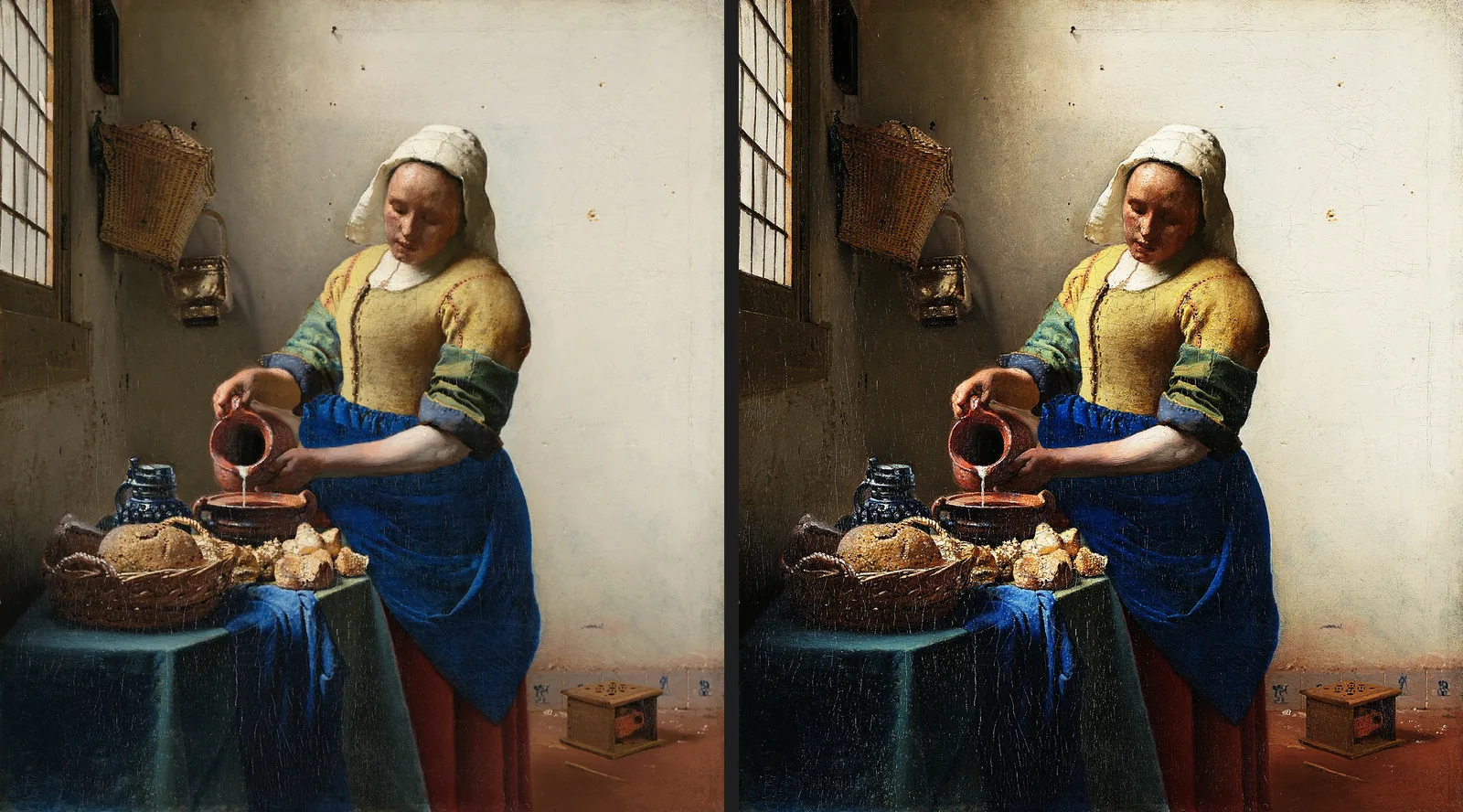
run opens a file, runs commands in order and saves the result. Each --params applies to the --cmd before it. This sharpens a painting and adds a Curves adjustment layer:
photocraft-cli run milkmaid.jpg \
  --cmd filter.sharpen.unsharpMask --params '{"amount":120,"radius":2,"threshold":2}' \
  --cmd layer.newAdjustmentLayer.curves --params '{"points":[[0,0],[60,40],[128,128],[196,220],[255,255]]}' \
  --out milkmaid-sharpened-curves.png
It prints one JSON result per command and finished in about 0.56 seconds for a 2675×3000 image:
{"command":"filter.sharpen.unsharpMask","result":{"filter":{"amount":120.0,"filter":"unsharpMask","radius":2.0,"threshold":2.0},"layer":2}}
{"command":"layer.newAdjustmentLayer.curves","result":{"layer":3}}
warning: 2 layer(s) flattened; layers, masks and blend modes are not keptThe warning is expected: PNG can’t hold layers. Use --out result.psd instead and the Curves layer is kept; photocraft-cli info result.psd confirms it.
Find command ids
photocraft-cli commands --filter curves
photocraft-cli commands --json > commands.json
Process a whole folder
Record an action in the app (or write a JSON list of steps), then apply it to every image in a folder:
photocraft-cli batch --actions grade.json --in ./raw --out ./graded --format jpg --quality 90PhotoCraft refuses to write into the input folder unless you pass --in-place, so you can’t overwrite originals by accident.
Connect an AI agent over MCP
photocraft-cli mcp runs an MCP server on stdio. It reported photocraft 0.7.0 and 21 tools in our test, including:
command_list, command_run, command_batch, doc_new, doc_open, doc_inspect, doc_save, doc_export, doc_render_preview, render_preview, session_list, jobs_list, jobs_cancel
Five more (ui_inspect, ui_set, ui_pointer, ui_menu_invoke, ui_screenshot) plus control_call work in bridge mode, where the agent drives the running app window instead of a headless engine.
Add it to your MCP client’s configuration. Limit what the agent can read and write with the automation root flags:
{
  "mcpServers": {
    "photocraft": {
      "command": "/usr/local/bin/photocraft-cli",
      "args": ["mcp", "--automation-read-root", "/Users/you/Pictures", "--automation-write-root", "/Users/you/Pictures/out"]
    }
  }
}
Then ask your agent something like “Open portrait.jpg, add a Curves adjustment that lifts the shadows, and export a 1600 px JPEG”. It discovers command ids with command_list, edits with command_run, checks the result with render_preview and saves with doc_save.
Drive the open app (bridge mode)
Start the desktop app with a control port and a token file, then point the MCP server at it:
photocraft --control 7878 --control-token-file ~/.photocraft-token
photocraft-cli mcp --bridge 127.0.0.1:7878 --control-token-file ~/.photocraft-token
The control channel listens only on your own machine (127.0.0.1) and requires the token on every connection. Keep the token file private.
Safety tips
- Point
--automation-write-rootat an output folder, not your whole home directory. - Work on copies when you let an agent batch-edit.
- The full protocol is in docs/control-protocol.md.
Don’t have PhotoCraft yet?
Free and open source for Windows, macOS and Linux.
Artworks shown: Vincent van Gogh, Wheat Field with Cypresses (1889, The Met, CC0); Johannes Vermeer, The Milkmaid (c. 1660, Rijksmuseum); Caspar David Friedrich, Wanderer above the Sea of Fog (c. 1817); The Blue Marble (NASA, 1972); Pillars of Creation (NASA, ESA, and the Hubble Heritage Team (STScI/AURA), 2014). All public domain. Screenshots: PhotoCraft 0.7.0, captured by ArtCraft AI Guide.
All tutorials